If you have more than 50,000 subscribers, you’re probably sitting on an absolute goldmine of old video footage that gets practically zero views today. Meanwhile, your comment section is the exact same movie every single week: viewers asking the same ten questions about your camera gear, your editing software, or a tutorial step you explained three years ago.
You can actually hook an AI up to your channel to handle those conversations — not with robotic, generic summaries, but by citing the exact second in your videos where you gave the answer. Here is how to set one up, keep it from sounding like an insurance rep, and use it to put cash in your pocket from content you already published.
Key Takeaways for Creators
- No Manual Transcripts: Direct channel sync connects via YouTube handle or URL in 2 minutes flat.
-
Zero Hallucinations: Grounded in exact timestamps (
youtu.be/xxx?t=258). If you didn't say it on camera, the AI doesn't guess. - $300–$600/Month Passive Income: In-comment affiliate link delivery and digital product routing monetize high-intent comments automatically.
- Multichannel Reach: One unified knowledge base deploys to YouTube Comments, Discord, Telegram, and Link-in-bio widgets.
Live Experience: What Fans Actually See
What lens did you use for that super blurry background in your home studio tour? Looked crazy sharp!
That was the Sigma 16mm f/1.4 DC DN Contemporary! I went over the full aperture settings and why I picked it over the Sony 15mm right here in the studio breakdown video:
The bot cites the exact second, gives an authoritative answer, and drops your monetization link when intent is at its peak.
Ingest Your Video Catalog (Without Messing with Transcripts)
The old way of building a custom bot was miserable: downloading individual .srt caption files, scrubbing messy timecodes, converting everything into clean plain text, and uploading hundreds of bloated PDFs into a generic AI wrapper.
Don't do that. Manually exporting transcripts is completely unnecessary and breaks the moment you upload a new video next week.
Modern creator platforms like YoppyChat let you drop in your YouTube handle (e.g., @YourChannel) or channel link directly. The engine connects via public YouTube APIs, indexes both auto-generated and creator-uploaded captions, and builds an internal vector search index tied to every single second of your footage in about two minutes.
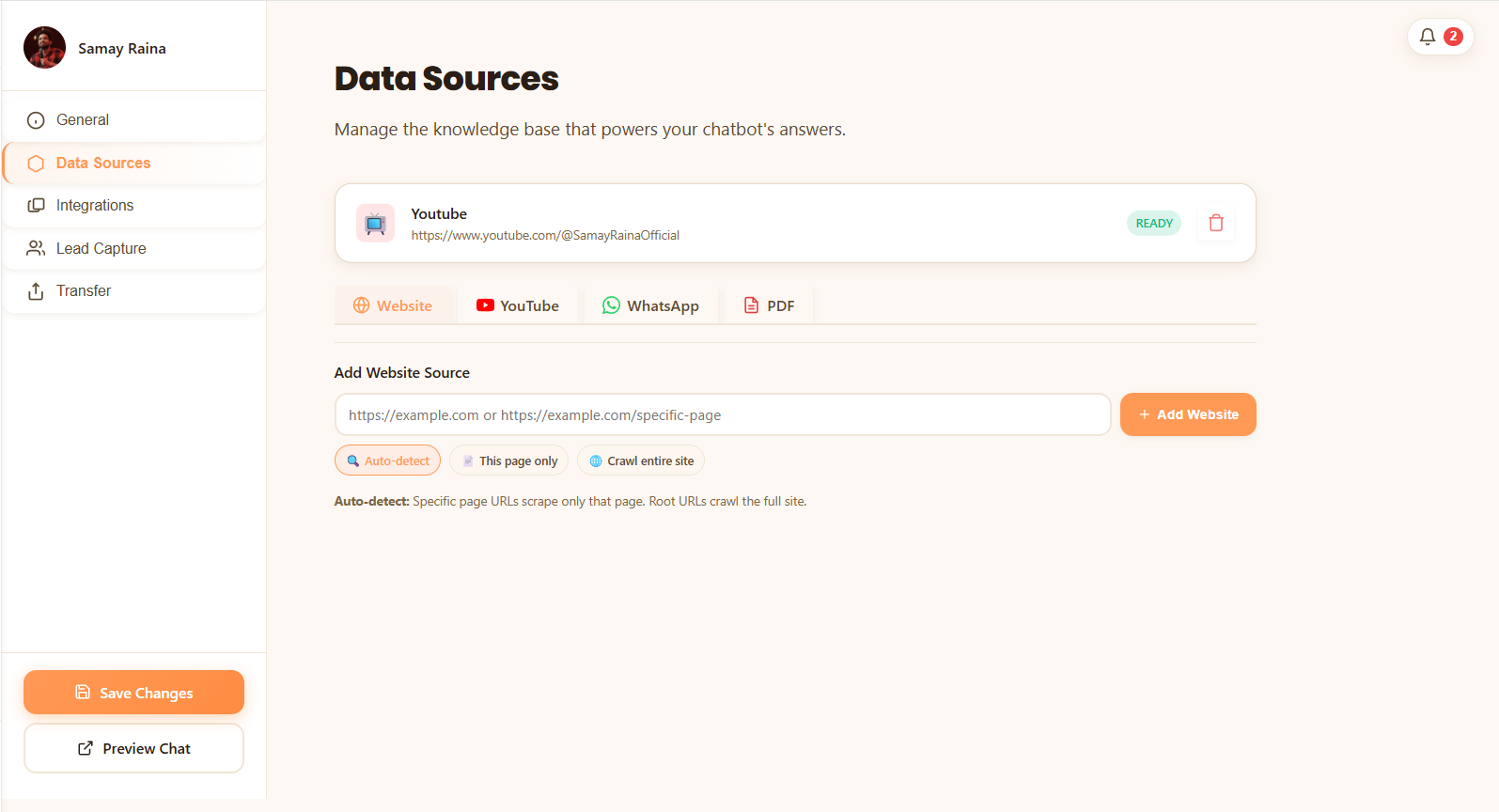
Unlike generic tools where you have to manually repeat this process every time you film, YoppyChat monitors your channel for new releases. Whenever you upload a new video, the captions are parsed and vectorized into the AI’s memory automatically.
Ground the AI in Timestamps (So It Never Guesses)
The fastest way to look foolish online is to let an unhinged chatbot hallucinate weird advice or make fake product endorsements under your channel’s name.
Generic language models are trained to always provide some answer, even if they have to make it up. A grounded creator AI operates on an uncompromising rule: if you didn't say it on camera, it doesn't exist.
When a viewer asks:
"What lens did you use for that blurry background in your home studio?"
The AI doesn't pull a random lens recommendation off a photography forum. It searches your transcripts, finds the exact clip from your 2023 studio tour, and replies:
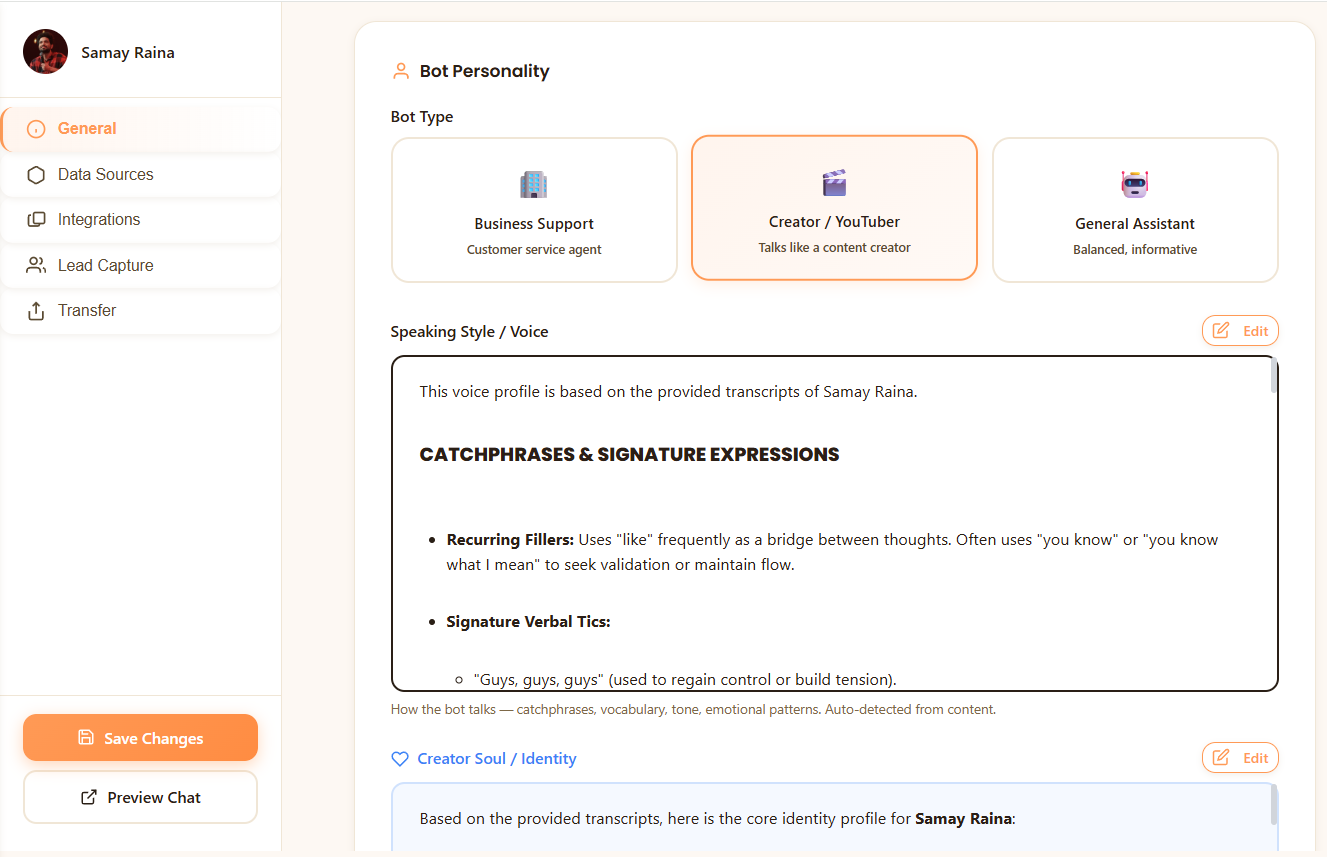
This timestamp grounding accomplishes two things at once:
- Kills hallucinations stone-dead: Viewers can instantly verify that the advice came directly from your mouth.
- Resurrects dormant watch time: Every citation is a direct click that sends an active viewer straight into your older uploads, triggering the YouTube recommendation algorithm to re-test your older videos.
Monetize the Intent You're Already Leaving on the Table
You don't have to launch a $400 course or push cheap merchandise to monetize your audience. People are already trying to buy things through your channel; you are just answering too late or missing their comments entirely.
In-Comment Affiliate Links
When viewers ask about your microphone, desk mat, or plugins, they are in active buying mode. The bot answers their question and drops your clean Amazon or Kit link right in the reply.
Funneling to Digital Assets
If you sell Notion templates, LUT packs, or run a paid Skool group, the bot acts as a natural bridge. It provides a quick answer, then links your paid asset for the comprehensive deep dive.
Resurrecting Backlog AdSense
Every timestamp citation sends fresh organic clicks to dormant videos. This reignites YouTube’s recommendation engine on high-CPM videos that stopped getting views months ago.
The Math on a 50k Subscriber Channel
Say you receive approximately 250 gear or setup questions across your comments and community DMs each month. Most creators ignore 80% of them simply because they don't have time to re-type the same links.
That is recurring revenue generated entirely on autopilot from conversations you used to leave unanswered. Read our guide on monetizing fan questions for advanced funnel templates.
Drop the Bot Where People Actually Bug You
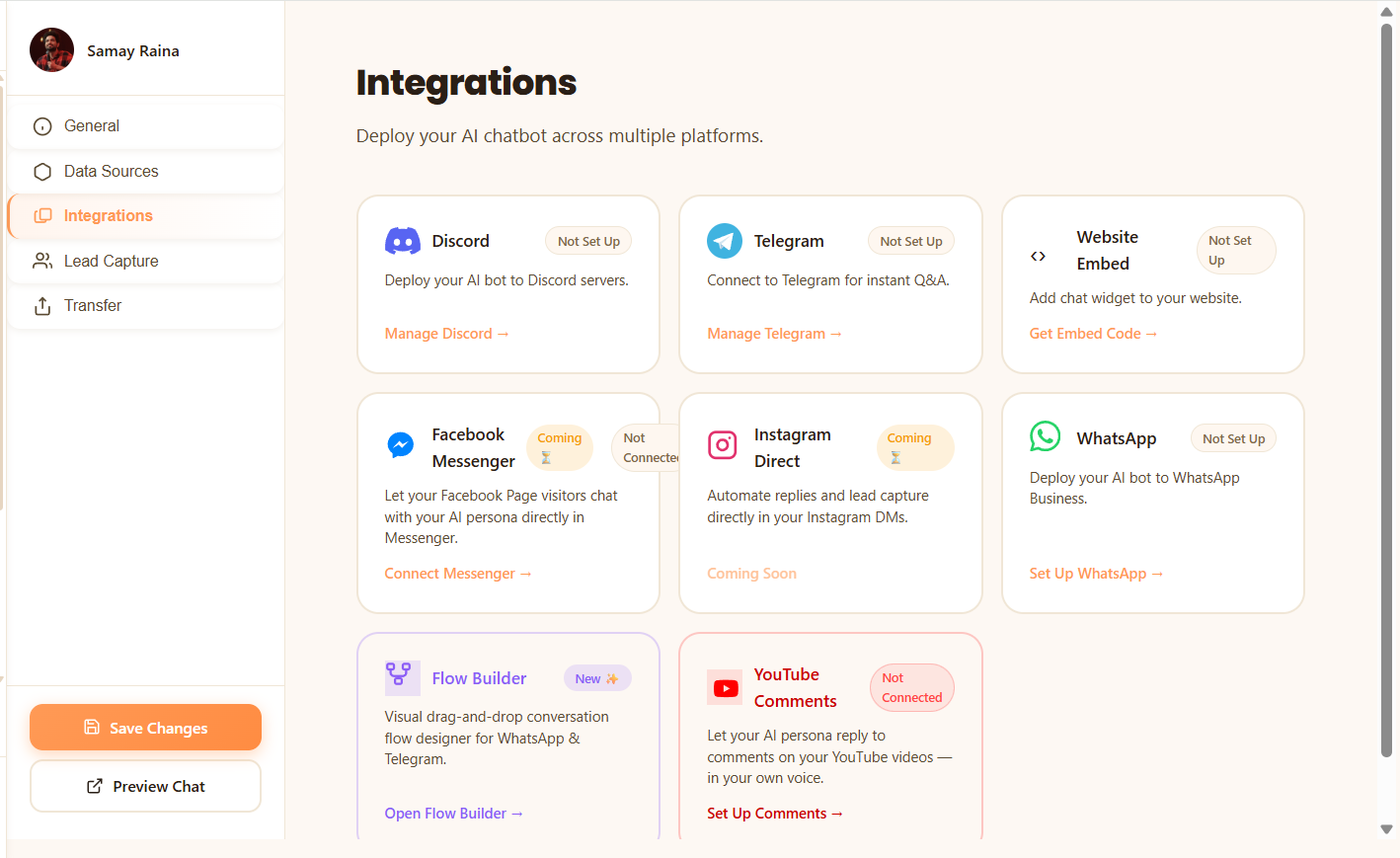
Having a floating chat bubble on an obscure personal portfolio site won't do much. You want to place your AI assistant directly in the line of fire where your audience naturally congregates:
YouTube Comments Auto-Reply & 1-Click Review
Connect your channel via OAuth. The bot drafts contextual, timestamped replies to incoming questions. You can choose full autopilot or keep it on a 1-Click Review toggle so you can approve drafted replies with one tap on your phone.
Discord & Telegram Community Bots
Drop the bot into your community servers so members stop tagging @everyone or @you just to ask where stream notes, config files, or gear lists are stored. Learn how in our Discord & Telegram bot guide for creators.
Link-in-Bio Search Widget
Stick a direct chat link on your Linktree, Beacons, or Bento profile. When viewers discover you on YouTube Shorts, Instagram Reels, or TikTok, they can search your entire long-form library without friction.
Why Generic Enterprise Chatbots Don't Work for YouTubers
Most AI chatbot builders — like CustomGPT.ai or Chatbase — were built for enterprise SaaS customer service, employee handbooks, and IT tickets. They fail when deployed in creator ecosystems.
| Key Capability | Generic Helpdesk Bots (CustomGPT, Chatbase) |
Dedicated Creator AI (YoppyChat) |
|---|---|---|
| Data Ingestion | Manual sitemaps, PDFs, or complex transcription pipelines | Direct YouTube channel sync in 2 minutes |
| Citation Accuracy | Dry, corporate paragraphs citing entire web pages |
Exact second timestamp links (youtu.be/xxx?t=194)
|
| Tone & Persona | Sounds like an insurance company or IT helpdesk | Calibrated to your cadence, slang, and humor |
| Monetization Engine | Generic Stripe paywalls or nothing at all | In-comment affiliate links, Skool/LUT routing |
| Where It Lives | Floating website bubble only | YouTube comments, Discord, Telegram & Bio |
| Entry Pricing | Starts at $99+/mo (enterprise markup) | Free trial & creator-friendly pricing tiers |
When enterprise vendors attempt to tackle YouTube, they treat videos like static documentation. But YouTube creators don’t run call centers. Creators need engagement, watch-time loops, authentic voice matching, and monetization funnels. For a complete feature and cost breakdown, check out our in-depth comparison of YoppyChat vs CustomGPT for creators.
Put Your Backlog to Work This Afternoon
You’ve already spent hundreds of hours scripting, filming, and editing your catalog. Answering the same question about your camera settings or software presets for the four-hundredth time shouldn’t consume your Thursday evening.
Turn that video library into an active asset, give your fans immediate answers backed by exact video proof, and let your catalog generate revenue while you focus on the next shoot.
Frequently Asked Questions
How does an AI chatbot answer questions using specific YouTube timestamps?
youtu.be/xxx?t=194.
Will the AI chatbot hallucinate or recommend gear I never used?
Can I automatically insert affiliate links into YouTube comment replies?
Do I have to give the AI full permission to post comments without my approval?
Why shouldn't creators use enterprise chatbot tools like CustomGPT or Chatbase?
What happens when I upload a new YouTube video?
Nikhil Rathour
Founder & CEO, YoppyChat
Nikhil is the founder of YoppyChat, building creator-native AI tools that transform video catalogs into interactive revenue engines. He writes on creator monetization, YouTube automation, and conversational AI architecture.
Explore Related Creator Guides
How to Train an AI on YouTube Transcripts
Complete step-by-step breakdown of how RAG chunking and vectorization turns closed captions into searchable knowledge.
Monetization StrategyHow to Monetize YouTube Fan Questions Without Selling Out
Practical frameworks for using conversational AI to capture warm buyer intent directly in your comments.
Community ScalingBuild an AI Discord & Telegram Bot from Your Videos
Protect your private time and give your community 24/7 instant channel answers without constant @tags.
Platform ComparisonCustomGPT vs YoppyChat: The Honest Breakdown
Why enterprise RAG chatbots fail content creators and how YoppyChat provides a 10x faster, creator-native alternative.