
How to Create a Google Review QR Code in 3 Steps
Also answers: How to make a Google review QR code · Updated March 2026 · 4 min read
A Google review QR code makes it effortless for customers to leave you a 5-star review — they just scan and the Google review page opens instantly. No searching, no typing your business name, no friction. In this guide you'll learn exactly how to create a Google review QR code using YoppyChat in under 60 seconds, for free.
Quick answer:
Go to app.yoppychat.com/dashboard/google-reviews, enter your business name, click Generate. Your QR code and review link are ready in seconds. Download the poster and print it.
Why Do You Need a Google Review QR Code?
Asking customers for reviews verbally is awkward and forgettable. Sending a WhatsApp review link is better — but having a scannable Google business review QR code at your counter is the most powerful method because:
- The ask happens at peak happiness — right after a great meal or service
- No staff training needed — the poster works 24/7 silently
- Works offline — no internet needed to display the QR code poster
- AI suggestions on the review page help customers write the perfect 5-star review in seconds
How to Create a Google Review QR Code — Step by Step
Step 1: Find Your Google Business Profile
Go to YoppyChat's Google Reviews dashboard. In the search field, type your exact Google Business name — e.g. "Sharma Sweet House, Connaught Place" or "Priya Beauty Salon, Koramangala".
YoppyChat uses the Google Places API to locate your listing and extract your unique review link automatically. No Google account login needed on your end.
💡 Pro tip: If your business name is common, add your city or neighbourhood to find the right listing faster.
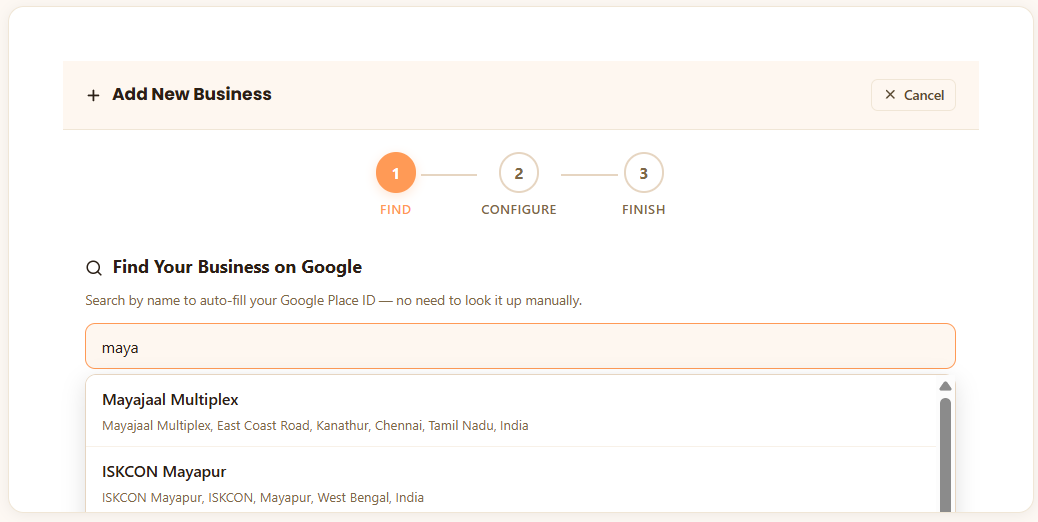
Type your business name — results appear instantly via Google Places API
Step 2: Generate Your QR Code & Review Link
Click Generate QR Code. Two things are instantly created:
- AA scannable Google review QR code that opens your review page on any Android or iPhone camera app
- BA short review link you can copy and paste into WhatsApp, SMS, or email
Choose your poster style: Google Style (official branding), YoppyChat Orange (most popular with Indian shops), or Minimal Dark (premium brands & hotels).
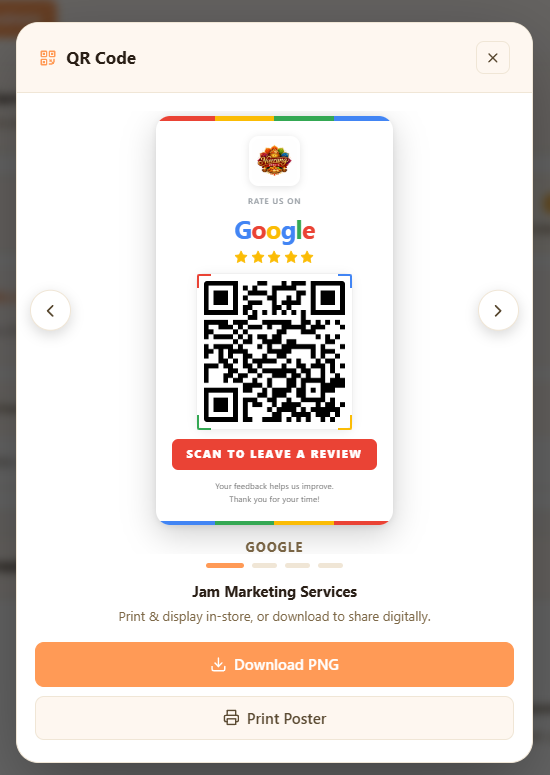
Your branded QR code poster — ready to download or print
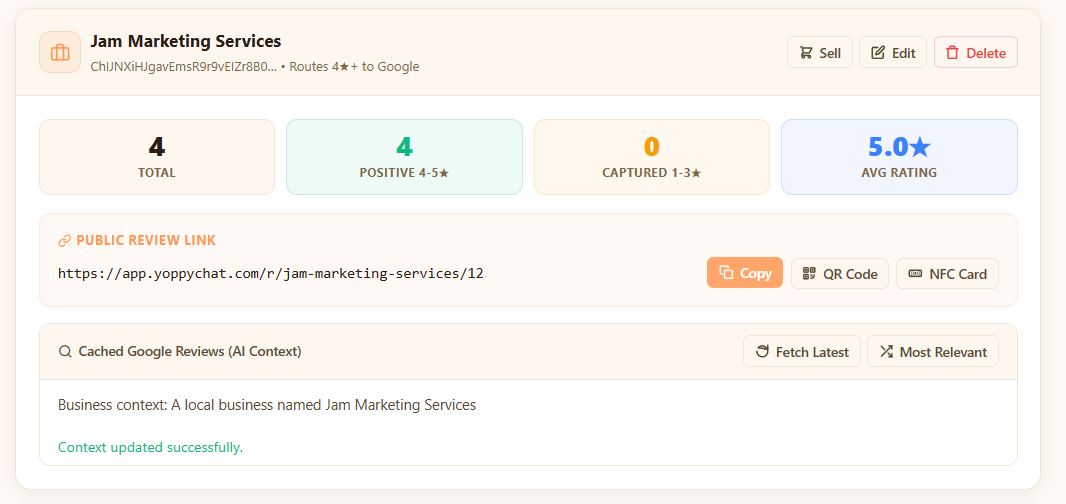
Your review link, QR code & NFC card — all in one dashboard
Step 3: Download, Print & Display
Click Download Poster to save a high-resolution PNG. Print it at any local print shop (A4 or A5 size works best) or at home. Laminate it for durability.
Where to display your Google review QR code poster:
- Payment counter / billing desk — catches customers at the highest-satisfaction moment
- Table tops in restaurants — customers have time to scan while waiting for the bill
- Reception desk in clinics & salons — visible while customers wait to leave
- Exit door / sticker on the back of the door — last thing customers see
- Packaging & delivery bags — for e-commerce and cloud kitchens delivering across India
🎯 Bonus tip for India: Also share the review link via WhatsApp to customers within 2 hours of service. This combination of in-store QR code + WhatsApp review link follow-up typically 3x review volume within the first month.
🔀 Smart review routing in action — negative feedback is captured privately, not on Google:
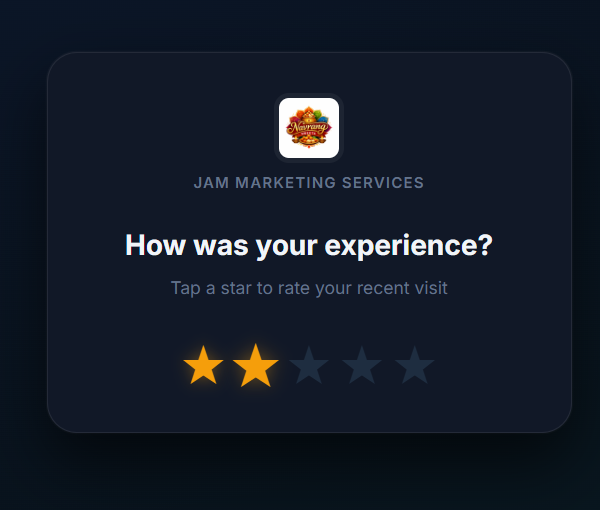
Low-star rating detected — customer is redirected privately
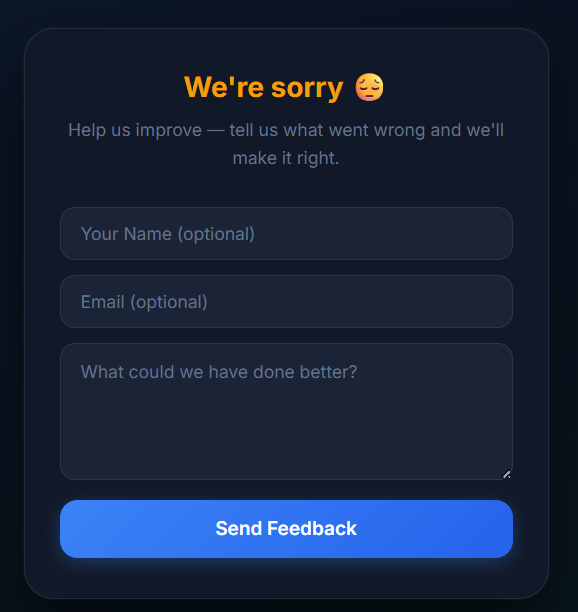
Negative reviews captured privately — your Google rating stays protected
How YoppyChat's AI Helps Customers Write Better Reviews
Most customers want to leave a review but don't know what to write. YoppyChat solves this. When a customer scans your QR code, they land on a page powered by AI that:
- Suggests 3–5 personalised review templates based on your business type (restaurant, salon, clinic, etc.)
- Pulls from your real existing 5-star reviews to match tone and style
- Lets customers tap a template, edit it lightly, and submit — in under 30 seconds
This turns your Google review QR code from a passive poster into an active 5 star Google review generator. See real examples of great review templates in our 50 Google Review Examples guide.
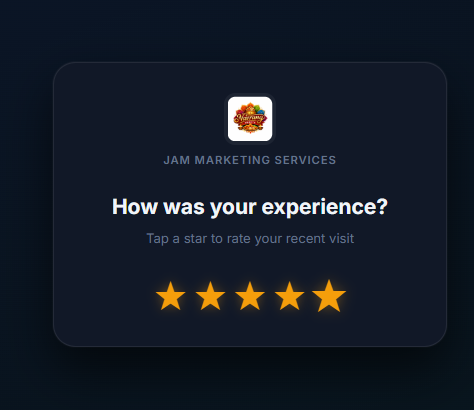
Customer taps 5 stars — the AI suggestions screen loads instantly
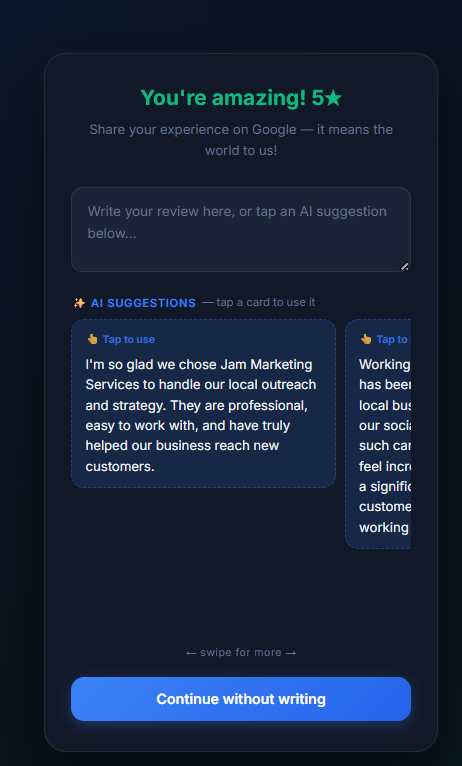
AI suggests personalised review templates — customer taps one and submits in seconds
QR Code vs. Review Link vs. NFC Card — Which to Use?
| Method | Best For | Cost |
|---|---|---|
| Google Review QR Code | In-store posters, table tents, bills | Free |
| Review Link | WhatsApp, SMS, email follow-ups | Free |
| NFC Tap Card | Premium restaurants, salons, reception desks | Plan upgrade |
Ready to create your Google Review QR code?
Use YoppyChat — India's fastest google review link generator. Free to start, no credit card.